Posts

Showing posts with the label new copier

WHAT YOU SHOULD KNOW ABOUT PRINT MANAGEMENT SOFTWARE

Image
A managed print environment gives you a window into how to increase efficiency and lower costs . This includes knowing if your current devices are placed in the most efficient location based on usage. If your devices are deployed correctly based on your environment, your users are enabled to print more efficiently, and as a result, they will become more productive. You'll know if your devices are economical, and if they are the right fit based on print volume, device capacity and number of users. It's a sophisticated and data-driven approach to business printing.  So, how does it work? PRINT MANAGEMENT SOFTWARE Print management software is what makes collecting all of the information I listed above not only possible but simple. The software can track usage at various level, which can be predetermined based on your business. Usage data can be collected by department, by individual or by location - depending on what's right for you.  Beyond device locatio...

HOW TO CHOOSE THE RIGHT BUSINESS COPIER [CHECKLIST]

Image
Having an office copy machine in your business can drastically improve how your company operates. With the right copier, you won't have employees lined up waiting for jobs to be completed, or wasting time doing manual tasks that could be automated. Essentially, with the right copier, your employees spend more time doing tasks that significantly affect your bottom line. When choosing which copier is right for your business, ask yourself the following questions: WHAT WILL THE COPIER BE USED FOR? Make a list of tasks you expect your office copy machine to perform. For example, many businesses use their machines for copying, scanning, faxing, printing, folding, stapling, binding and saddle stitching. With the right office copy machine, these tasks can be automated. It's a good idea to separate the task list into two columns: must-have features and wanted features. While your copier must be able to print, saddle stitching would be ideal but not be essential. ...

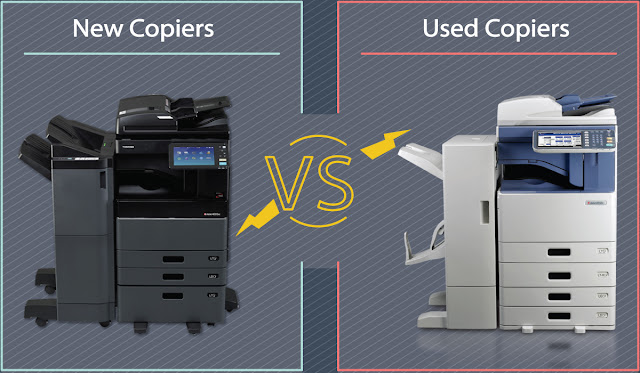
New Copiers vs. Used Copiers

Image
The battle is on! New? Used? Which offers more value in the long run? Is it the same as purchasing a car? When shopping for a new multi function copier for your office, you will certainly come across the idea of investing into a refurbished copier instead of a brand new one. Choosing used over new has both of its advantages and disadvantages. This article is going to clearly lay out both so that you can make an informed decision on your own. New Copiers New copiers are, in many ways, like new cars: they have brand-new technology, are compatible with the latest accessories, and have not been exposed to wear and tear from use. However, also like new cars, new copiers are rather spend and often lose part of their value once taken home from the store. Used Copiers There are three basic types of used copiers: lease returns, refurbished, and discontinued showroom models. Lease Return: To continue with the car analogy, buying one of these copiers woul...

Original Cartridges Vs. Re manufactured Toner and Ink Cartridges

Image
Original Cartridges Vs. Remanufactured Toner and Ink Cartridges Quite often our customers ask us questions about remanufactured cartridges. What are they? Do they work? Do they provide the same page yield as the original? Do they damage the printer? Can they void the manufacturer's warranty? To provide an answer to these questions, let us explain a bit about the different types of cartridges: original, remanufactured, refilled, recycled, compatible and generic. ORIGINAL TONER AND INK CARTRIDGES Original cartridges are manufactured by the maker of the equipment you purchased (i.e. Hewlett-Packard, Canon, Xerox, Lexmark). They are usually manufactured using a combination of new and recycled parts at factories throughout the world. For example, on the box of an HP C4127X you can read: "This newly manufactured product may contain parts and materials recovered from the HP Planet Partners recycling program" and on the box of a Canon FX-4: ...